 Shafar
Family budgets · group expenses
Shared money, split to the cent.
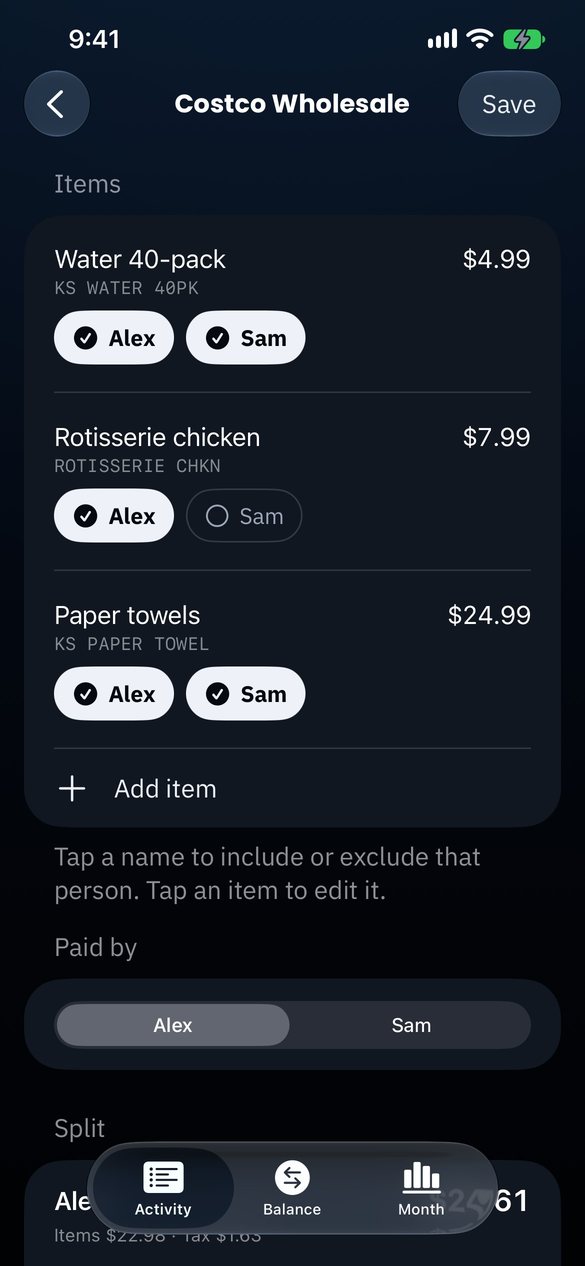
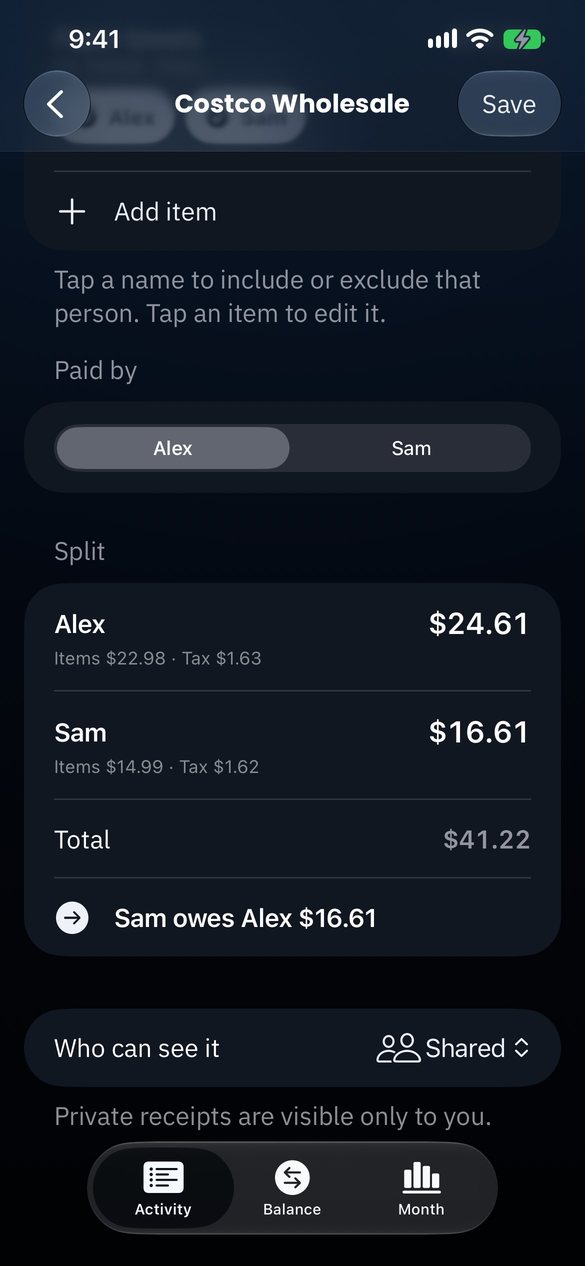
Scan a receipt, tick who had what, and Shafar works out who owes whom — tax included, to the cent. For couples and families who share some things, not everything, and for trips with friends.
Founders period: early accounts get Shafar Plus included, free, with a fair-use limit on receipt scans. Adding expenses by hand is never limited.
Who it's for
One app for the money you share.
Couples and families
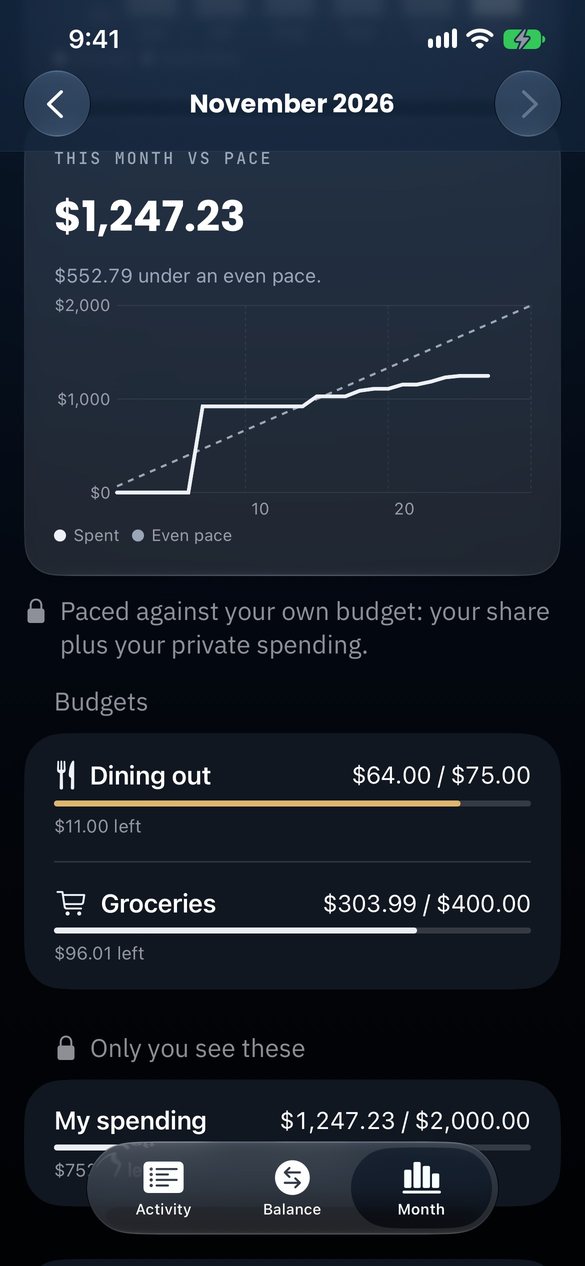
A shared budget for the household, and a private one for each of you. Mark anything “just mine” and nobody else sees it.
Trips, flats and friends
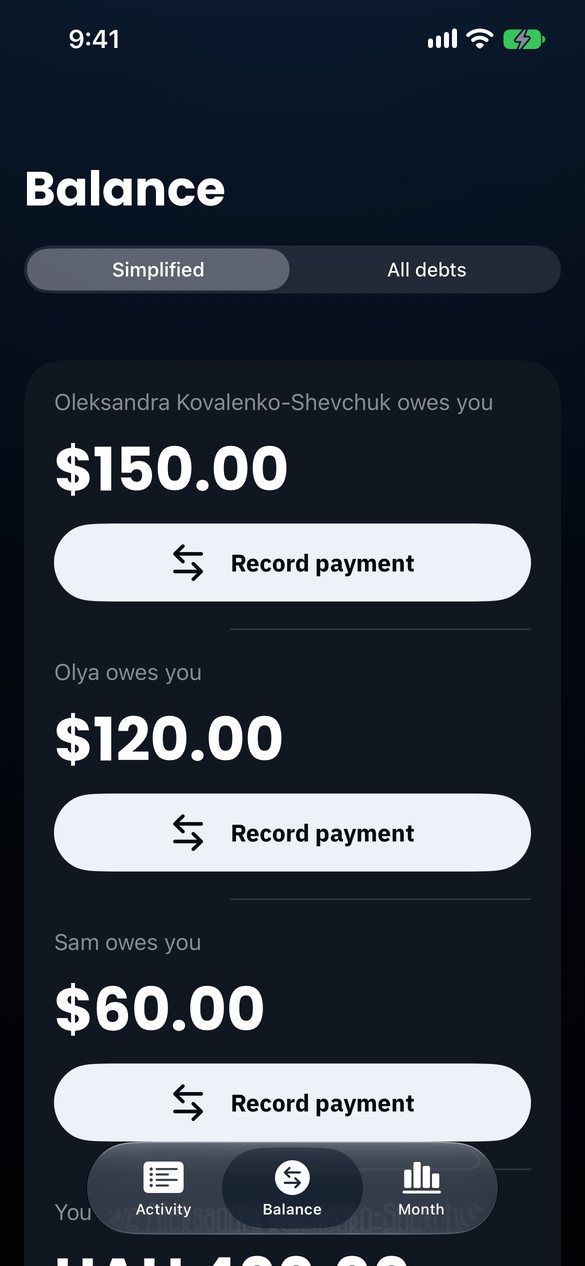
Put everyone in a group, even people without the app. Shafar keeps the balance in every currency and the fewest payments to settle it.
Newcomers to Canada
Money in two countries: import a Canadian bank's CSV statement or connect Monobank, and keep CAD and UAH side by side.
Features
Everything a fair split needs.
Receipt to items
Snap a paper receipt, share a screenshot or a PDF. Shafar reads the store, the items, the taxes and the total.
Split to the cent
Tick who had what. Tax, tip and discounts follow the items, and the shares always add up to the receipt's total — no lost cents.
Balances and settle up
See who owes whom. Pay by Interac e-Transfer from your bank's app, then mark it paid. Shafar never moves money.
Budgets and your month
Shared and private budgets, the month against an even pace, and a recap on the 1st.
Bank lines, reviewed
Import a CSV statement from your bank (CIBC, RBC, TD, Scotiabank, BMO and others), or connect Monobank on your phone. Each line: shared, mine or skip.
Widget and quick add
Your balance on the Home Screen and one tap to add an expense. Recurring bills add themselves.
Every change, on record
Each expense keeps its edit history, so nobody wonders who changed what.
Locked when you want
Face ID or a passcode, and an export of your data as CSV whenever you like.
Real screens, real numbers.
Privacy
Built so your partner sees only what you share.
Money is personal even inside a family. Shafar keeps that line for you.
Read the privacy policy- Your account data and receipt photos are stored in Canada (Montréal).
- Anything you mark private is visible only to you — in the list, the balance and the budgets.
- No ads, no trackers, no data brokers. We don't sell personal information.
- Receipts are read by AI only after you say yes, in a screen that names the provider (Anthropic). You can turn it off in Settings and type receipts by hand.
- Your Monobank token stays in your phone's Keychain. We never ask for bank passwords.
- Delete your account in the app: your photos, private expenses and bank lines go with it. Shared expenses stay in your groups under your name, so everyone's balance stays right.
The name
A shafar (шафар) was the steward of a Ukrainian household — the one who kept the stores, the keys and the accounts, and made sure everyone got a fair share.
That's the job we gave the app.
Start with one receipt.
Shafar is for iPhone, in English, French and Ukrainian, in the Canadian App Store.